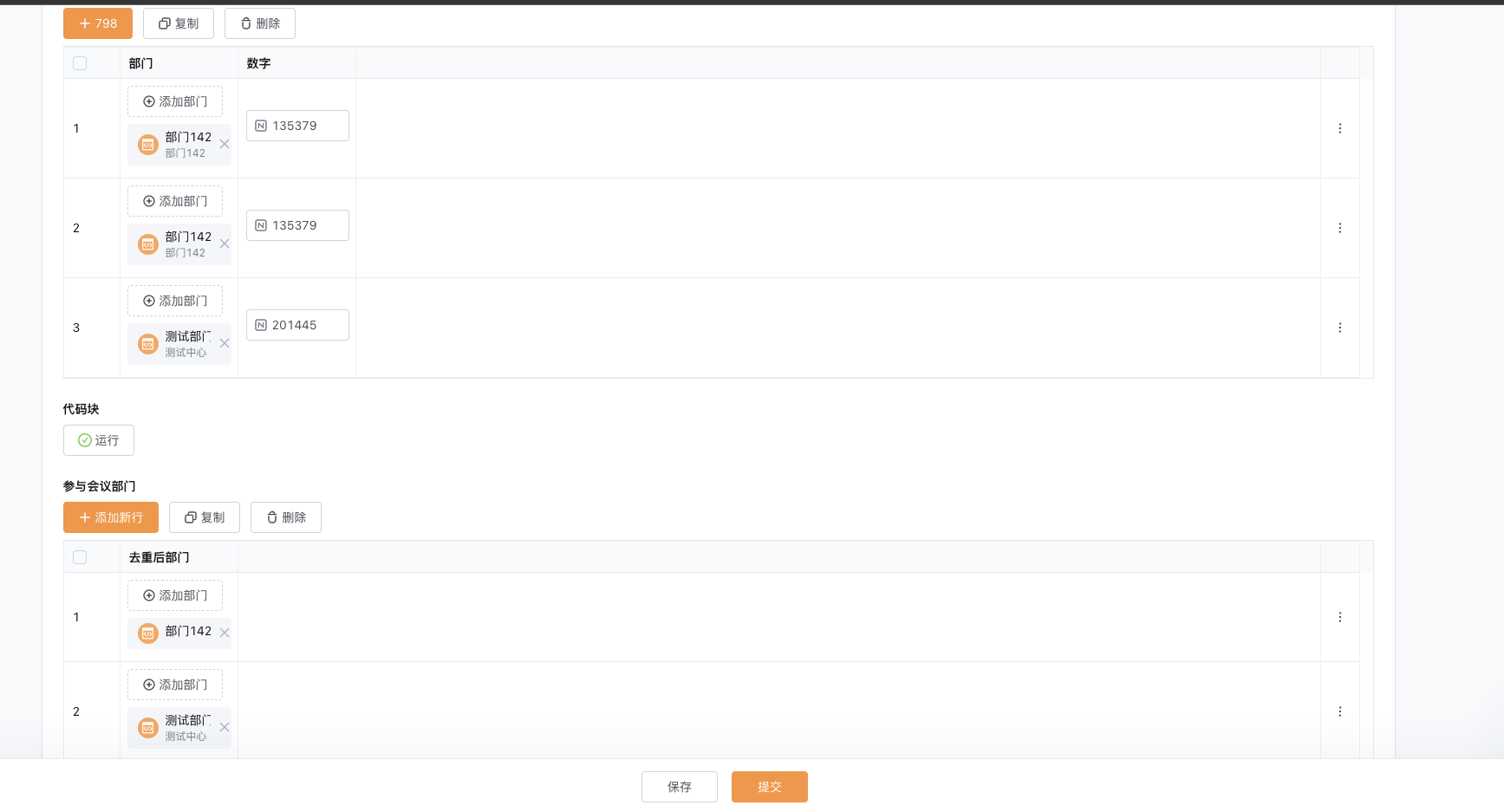
表格内部门字段去重后输出到另一个表格部门字段
问题描述
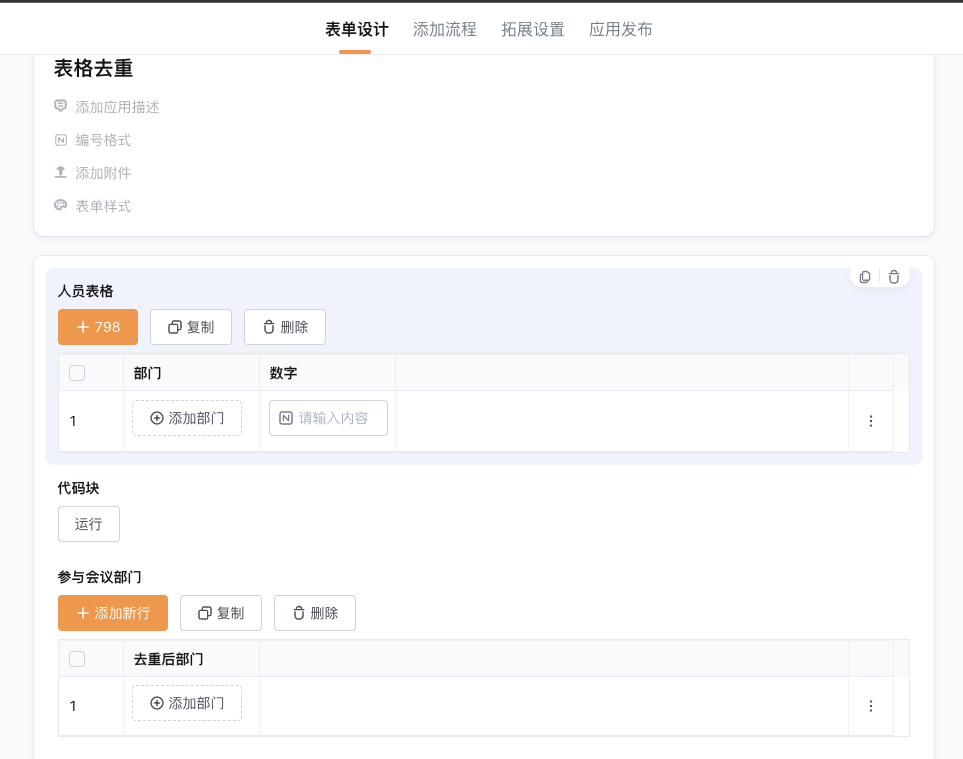
客户希望能通过人员表格来过滤去重参与会议部门表格,已统计参会部门。
实现方式
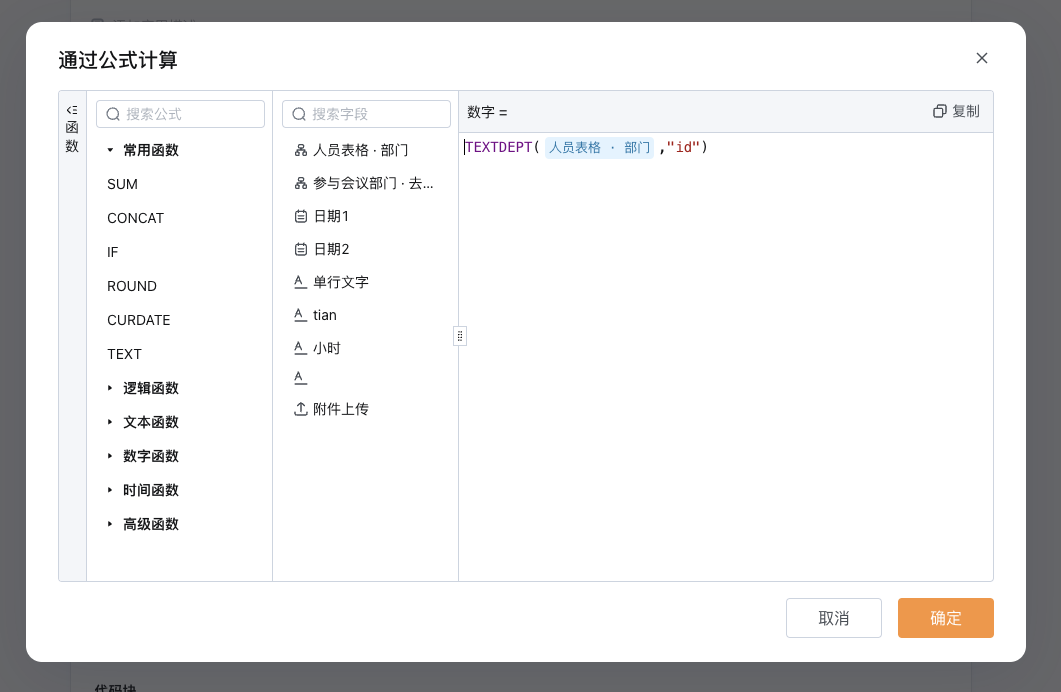
通过创建一个表格内数字字段的公式计算拿到部门id,通过部门id后使用代码块调用获取部门列表信息的openapi,需要先用postman来先确认返回体中deptid与optionid是否相同。 当不相同时候则需要先通过调用获取部门列表信息的openapi找到deptId内的值与表格内部门id相同的数据再取optionId,之后利用optionId的数据来查询单个部门详情的openapi接口,同样递归查询父部门的parentId的数据为空时将父部门与子部门用%隔开。
表单设计
2.2. 数字字段获取部门id公式
代码块
注意: 如果使用为专有云环境则需要更改代码中调用的URL为专有云链接 其中需替换黄底高亮字段为需要替换需要根据自己场景做替换
const axios = require('axios');

const accessToken = 'd866db1d-79ca-42c5-9e9c-0b1ce21135d2'; // 替换为您的访问令牌

/**
 * 获取所有部门数据
 * @returns {Promise<object[]>}
 */
async function getAllDepartments() {
  const url = `https://api.qingflow.com/department`;
  const headers = {
    accessToken: accessToken,
  };

  try {
    const response = await axios.get(url, { headers });
    return response.data.result.department || []; // 返回部门数组
  } catch (error) {
    console.error('Error fetching all departments:', error.message);
    return [];
  }
}

/**
 * 获取部门详情
 * @param {number} deptId
 * @returns {Promise<object>}
 */
async function getDepartment(deptId) {
  const url = `https://api.qingflow.com/department/${deptId}`;
  const headers = {
    accessToken: accessToken,
  };

  try {
    const response = await axios.get(url, { headers });
    return response.data.result;
  } catch (error) {
    console.error(`Error fetching department for deptId ${deptId}:`, error.message);
    return { error: error.message };
  }
}

/**
 * 循环查找部门名称
 * @param {number} deptId
 * @returns {Promise<string[]>}
 */
async function getDepartmentHierarchy(deptId) {
  let currentDept = await getDepartment(deptId);
  if (!currentDept || currentDept.error) return [];

  let names = [currentDept.name];
  let parentId = currentDept.parentId;

  // 递归查找父部门
  while (parentId) {
    currentDept = await getDepartment(parentId);
    if (!currentDept || currentDept.error) break;

    names.unshift(currentDept.name); // 将父部门名称插入到数组开头
    parentId = currentDept.parentId;
  }

  return names; // 返回部门名称数组
}

/**
 * 从表格数据中提取部门ID并查询部门层级
 * @param {Array} table
 * @returns {Promise<object[]>}
 */
async function processTable(table) {
  const results = new Set(); // 使用 Set 存储结果以去重

  // 获取所有部门数据
  const allDepartments = await getAllDepartments();

  for (const row of table) {
    const fieldOptionId = row.field_294993390; // 从表格中提取 field_294963721

    // 找到匹配的部门对象
    const matchedDept = allDepartments.find(dept => dept.optionId == fieldOptionId);
    if (!matchedDept) continue; // 如果没有匹配项,跳过
    const deptId = matchedDept.deptId; // 获取真正的 deptId

    // 获取部门层级
    const hierarchy = await getDepartmentHierarchy(deptId);

    if (hierarchy.length > 0) {
      // 拼接部门名称层级并存入结果
      const combinedName = `${hierarchy.join('%')}`;
      results.add(combinedName.replace(/%{2,}/g, '%')); // 确保没有重复的 %
    }
  }

  return Array.from(results); // 将 Set 转换为数组返回
}

// 示例表格数据
const table = qf_field.{入表格$$2A6B99CDA$$}; // 示例表格数据

// 处理表格数据
processTable(table)
  .then(departments => {
    const output = { "departmentName": departments }; // 按照要求的格式输出
    qf_output = { output }; // 将结果赋值给 qf_output
  })
  .catch(error => {
    qf_output = { error }; // 捕获错误并赋值给 qf_output
  });
运行测试
(1)发起新数据时选择一个子部门复制计算出的部门ID
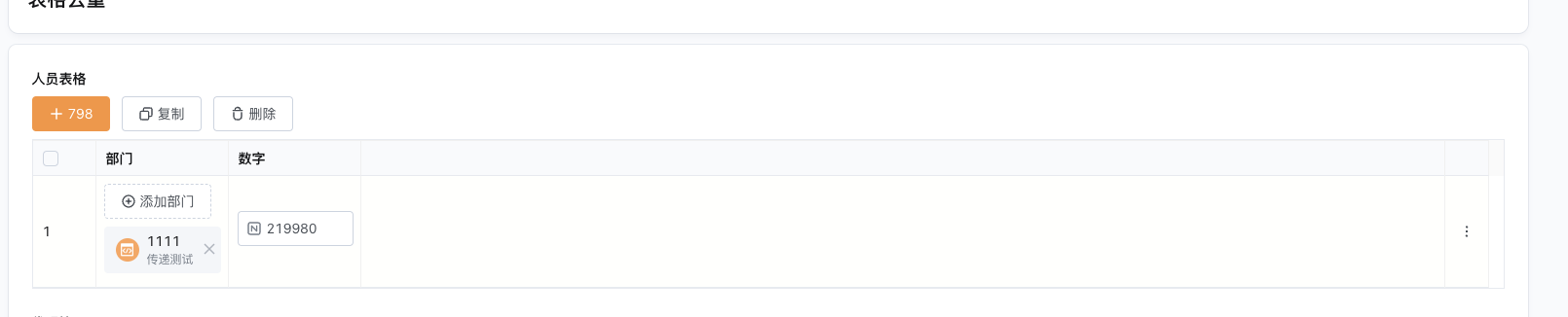 (2)输入的表格内数字字段使用子部门ID,运行如下时,输出的部门之间有%分隔即为正常。
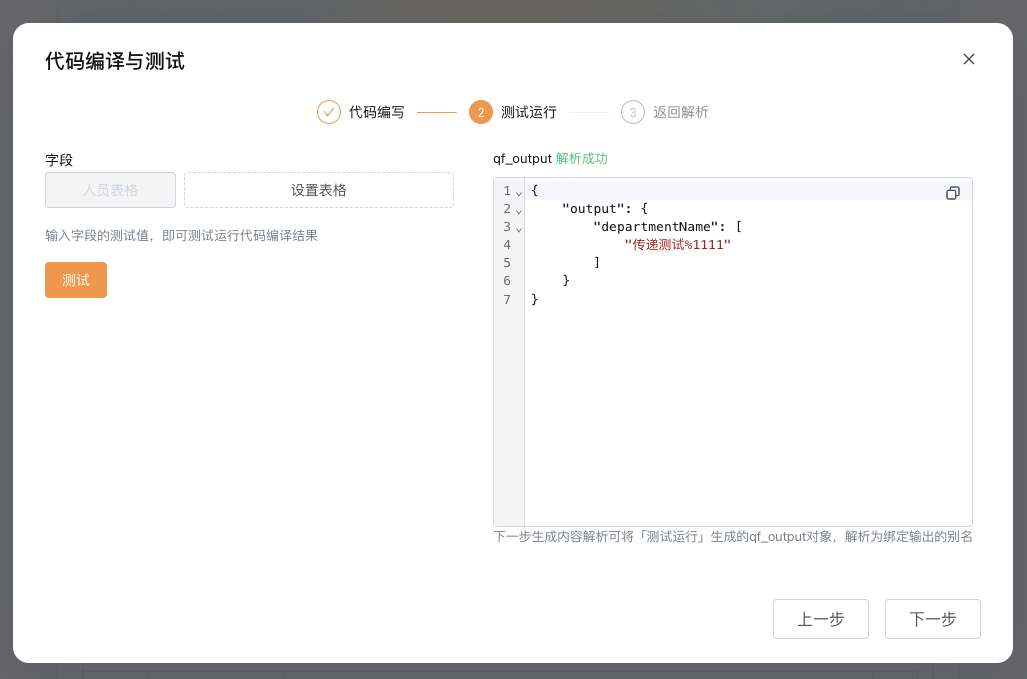 (3)解析规则如下
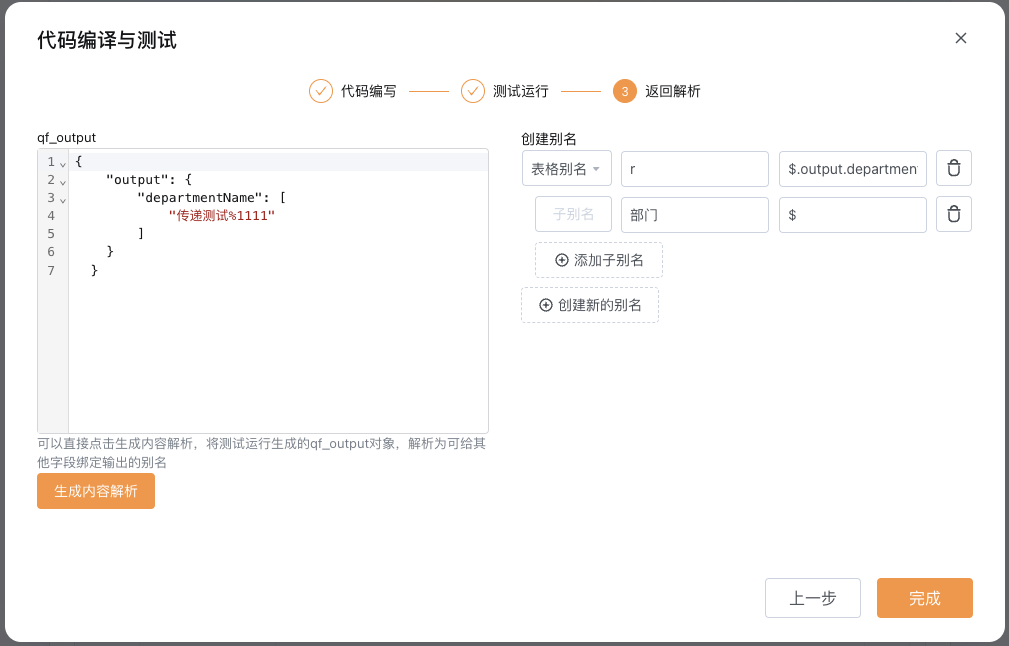 (4)关联表格部门字段
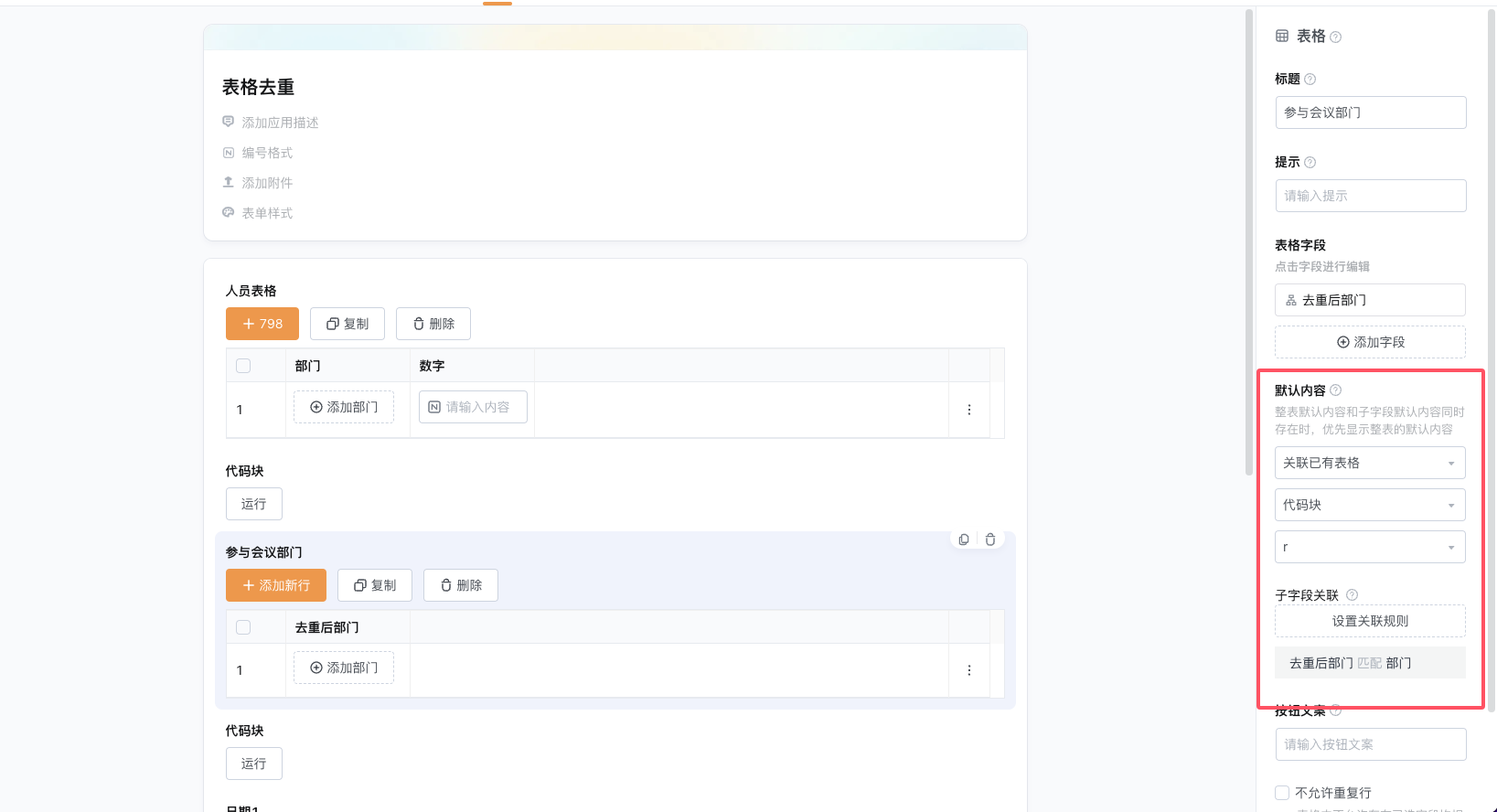
实现效果