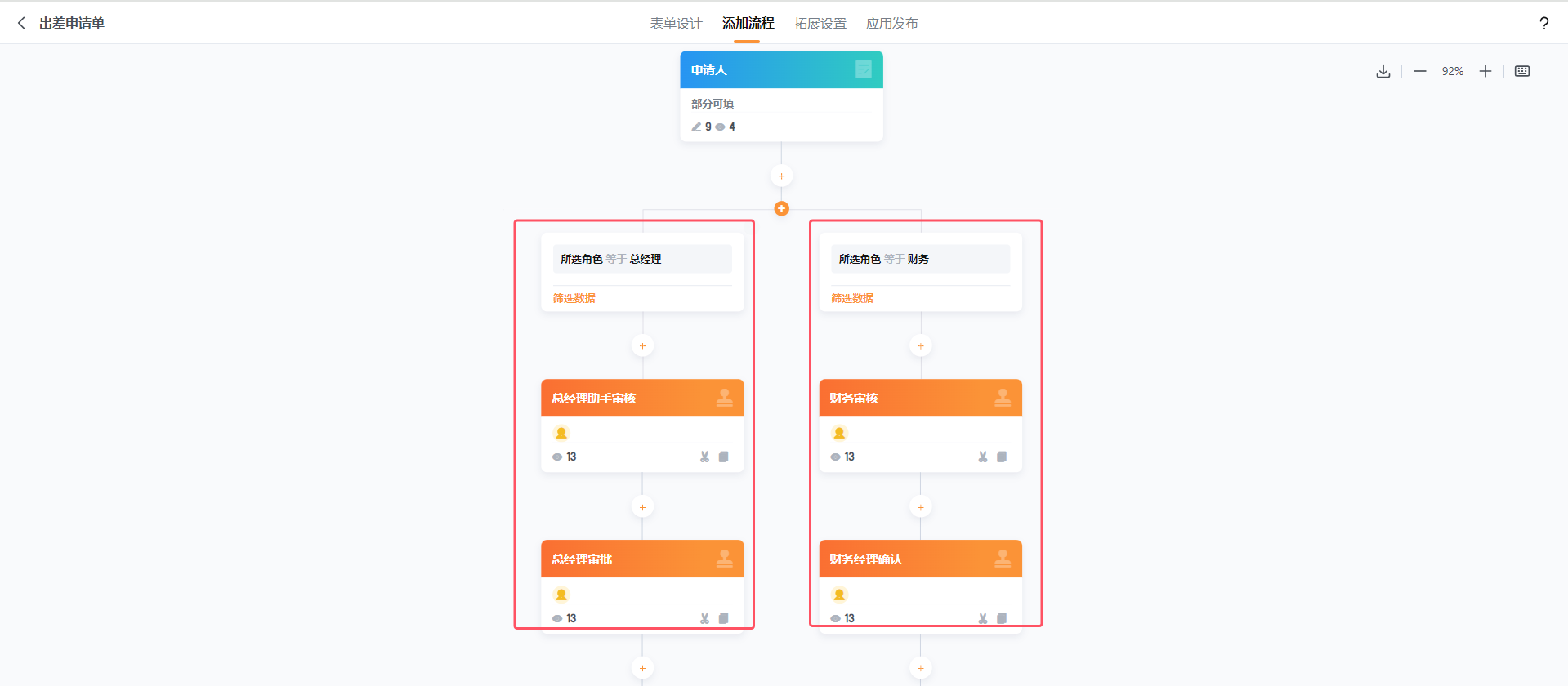
根据申请人所在角色控制成员字段的显隐
1.场景/问题描述
需求:希望通过成员所选角色,来控制成员字段的显隐,这些成员字段将作为流程中的审批负责人,根据所选角色走不同的分支流程。
2.思路逻辑
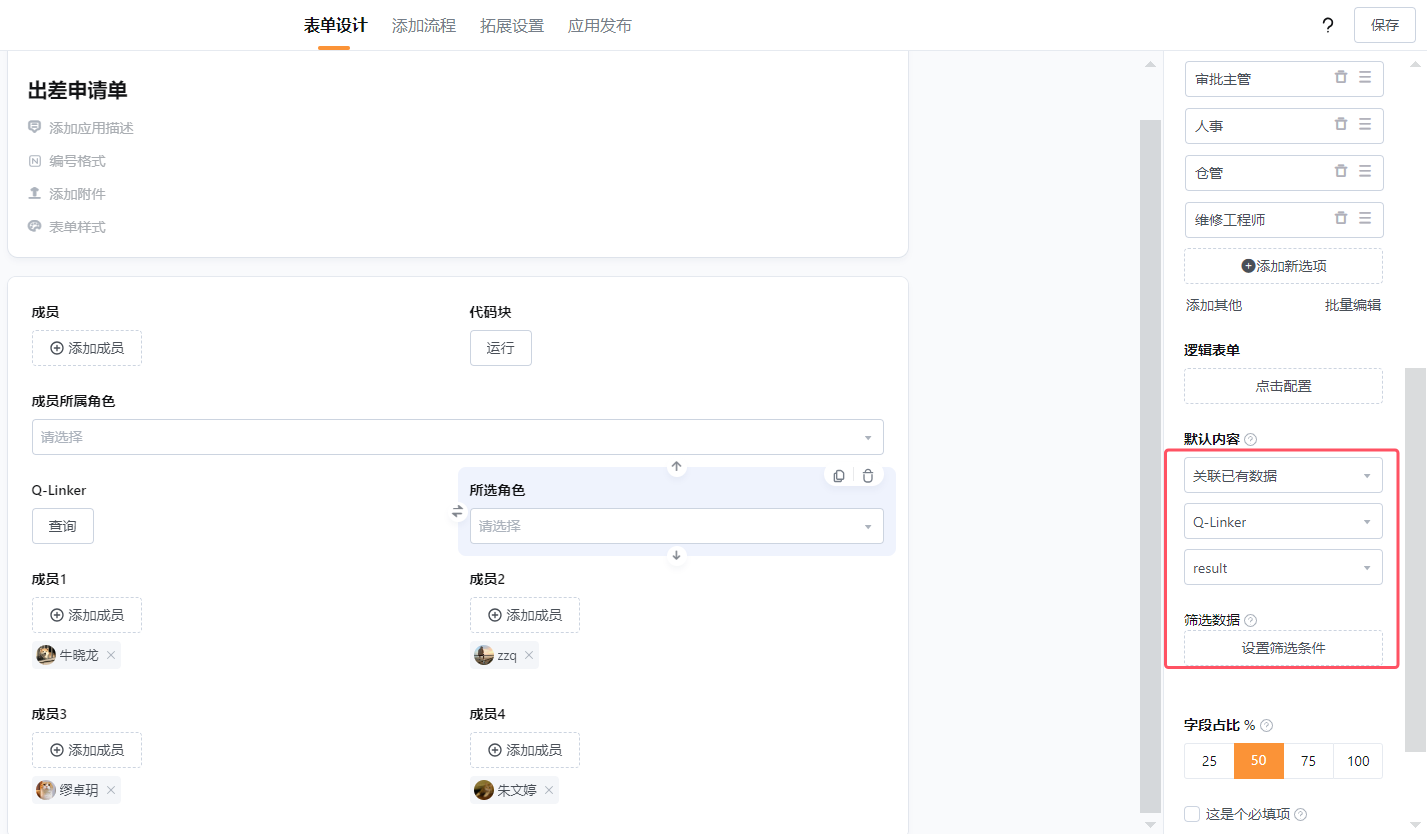
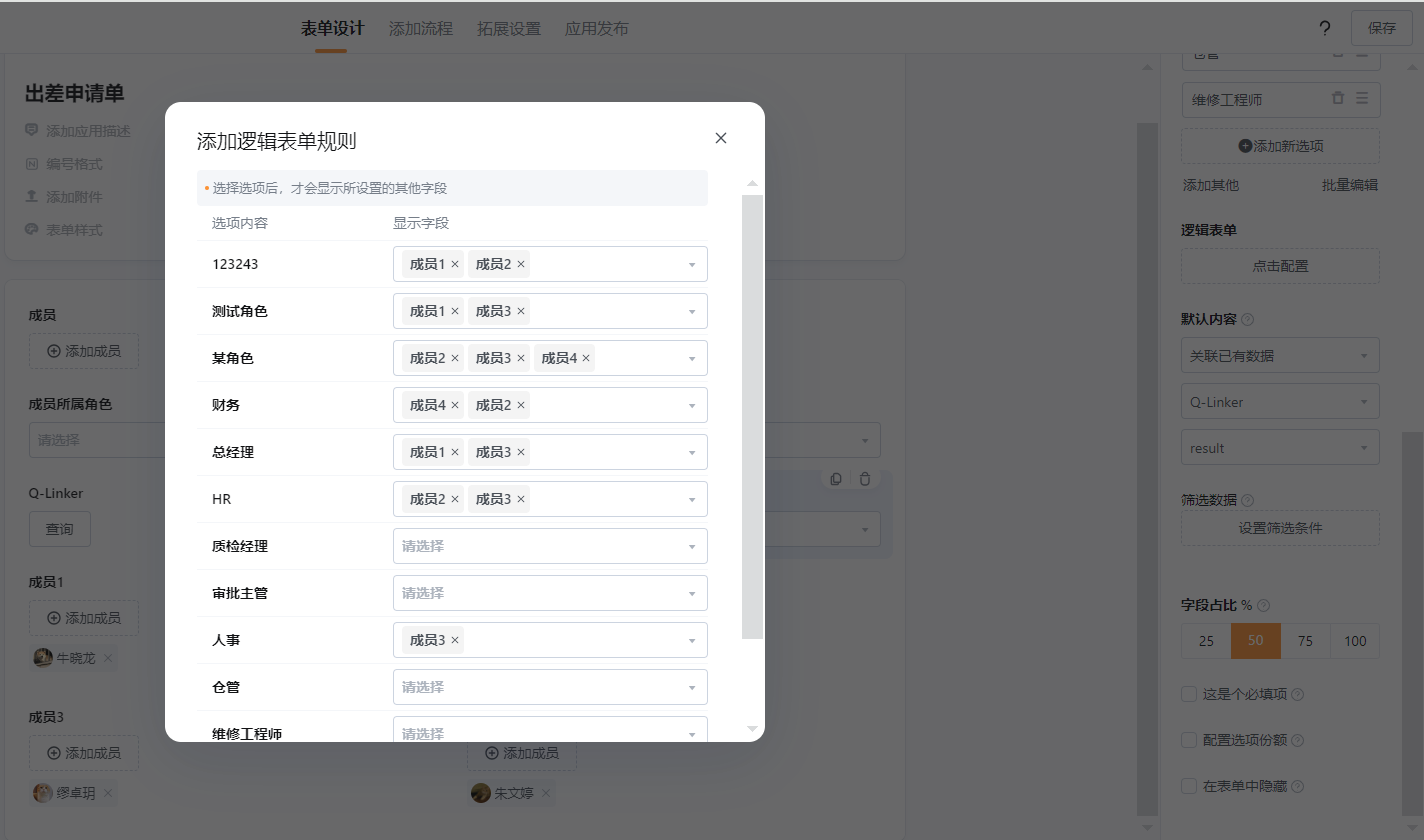
使用代码块调用【通过邮箱或手机号获取成员userId】接口拿到成员的userId,然后调用【读取成员信息】接口,拿到该成员所属角色,将角色以数组形式输出,并用数据关联字段接收;做一个单项选择字段,把通讯录所有角色名称维护好,使用Q-Linker调用回调接口,返回数据关联字段所选的角色名称返回到单项选择内;这样就可以通过选项类的字段控制表单内字段的显隐;流程中可以设置分支判断所选角色名称来走不同的流程。
3.配置过程
3.1表单配置:
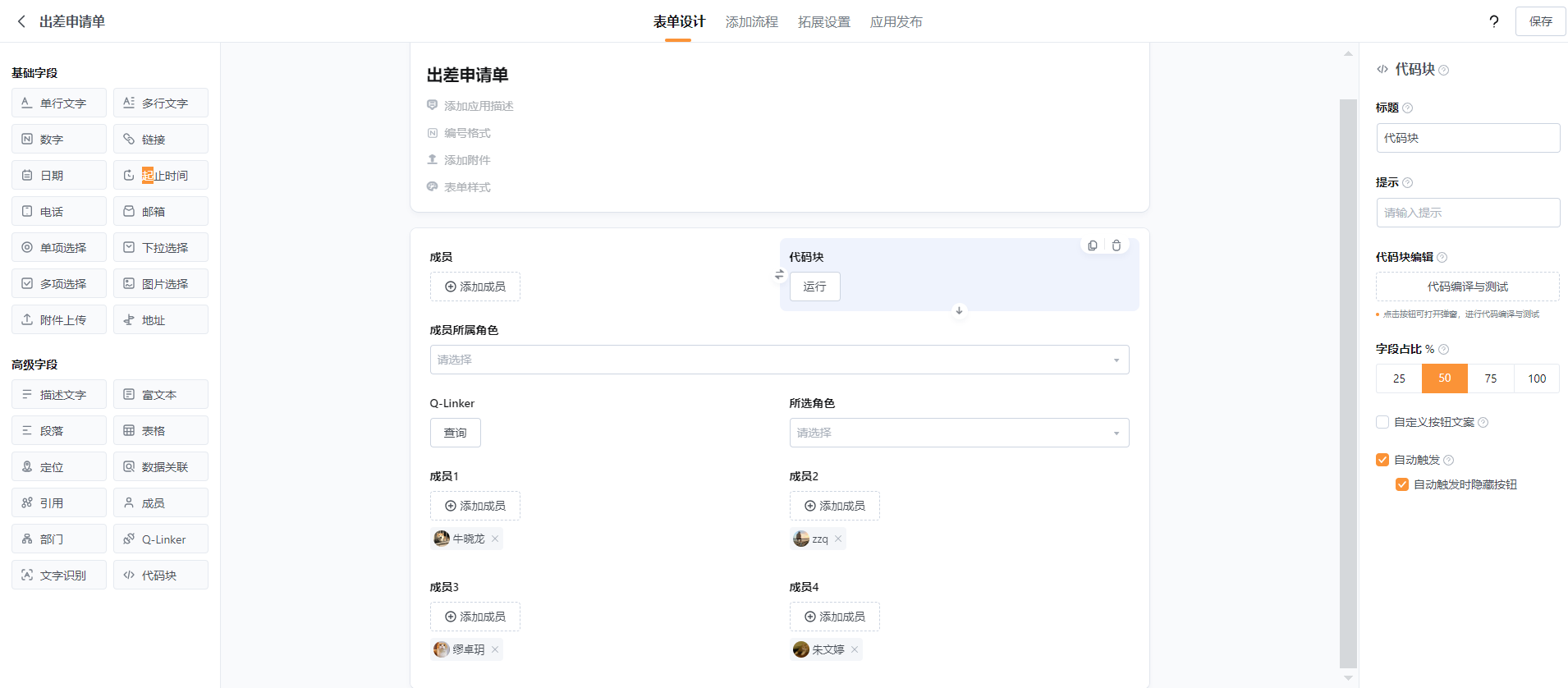
3.1.1代码块:
调用【通过邮箱或手机号获取成员userId】接口:https://help.qingflow.com/help-docs?type=qingCode&docId=97331e4564e2d58101db4aea2f1a6519&parentId=
和【读取成员信息】接口:https://help.qingflow.com/help-docs?type=qingCode&docId=eb36e5726428f51600020cf4691df37e&parentId=
拿到成员所属角色
const https = require('https');

function fetchData(url, headers = {}) {
    return new Promise((resolve, reject) => {
        const options = {
            headers: {
                ...headers,
                'User-Agent': 'Node.js'
            },
            method: 'GET'
        };

        https.get(url, options, (res) => {
            let data = '';

            // 接收数据
            res.on('data', (chunk) => {
                data += chunk;
            });

            // 完成响应
            res.on('end', () => {
                try {
                    const json = JSON.parse(data);
                    if (!res.statusCode.toString().startsWith('2')) {
                        return reject(new Error(json.errMsg || '请求失败'));
                    }
                    resolve(json);
                } catch (error) {
                    reject(new Error('解析响应失败'));
                }
            });
        }).on('error', (error) => {
            reject(error);
        });
    });
}

async function getUserId(email) {
    const url = `https://api.qingflow.com/user/getId?email=${encodeURIComponent(email)}`;
    const data = await fetchData(url, {
        'accessToken': 'd866db1d-79ca-42c5-9e9c-0b1ce21135d2'
    });
    return data.result[0].userId; // 返回第一个用户的 userId
}

async function getUserInfo(userId) {
    const url = `https://api.qingflow.com/user/${userId}`;
    const data = await fetchData(url, {
        'accessToken': 'd866db1d-79ca-42c5-9e9c-0b1ce21135d2'
    });
    return data.result.role; // 返回角色ID列表
}

async function getRoleList() {
    const url = `https://api.qingflow.com/role`;
    const data = await fetchData(url, {
        'accessToken': 'd866db1d-79ca-42c5-9e9c-0b1ce21135d2'
    });
    return data.result.role; // 返回角色名和ID列表
}

async function getMatchingRoleNames(email) {
    try {
        const userId = await getUserId(email);
        const userRoles = await getUserInfo(userId);
        const allRoles = await getRoleList();

        const roleNames = allRoles
            .filter(role => userRoles.includes(role.roleId))
            .map(role => role.roleName);

        return roleNames;
    } catch (error) {
        // console.error('getMatchingRoleNames Error:', error);
      qf_output = { 'getMatchingRoleNames Error': error }
        return []; // 返回空数组以防止外部错误
    }
}

const  member = qf_field.{成员$$2828D9908$$};

// 调用主函数
getMatchingRoleNames(member).then(roleNames => {
    // console.log(roleNames);
  qf_output = { roleNames }
}).catch(error => {
    // console.error('Overall Error:', error);
  qf_output = { 'Overall Error': error }
});
注意:
代码块内替换自己工作区内的accessToken,和表单变量qf_field.{成员$$2828D9908$$}
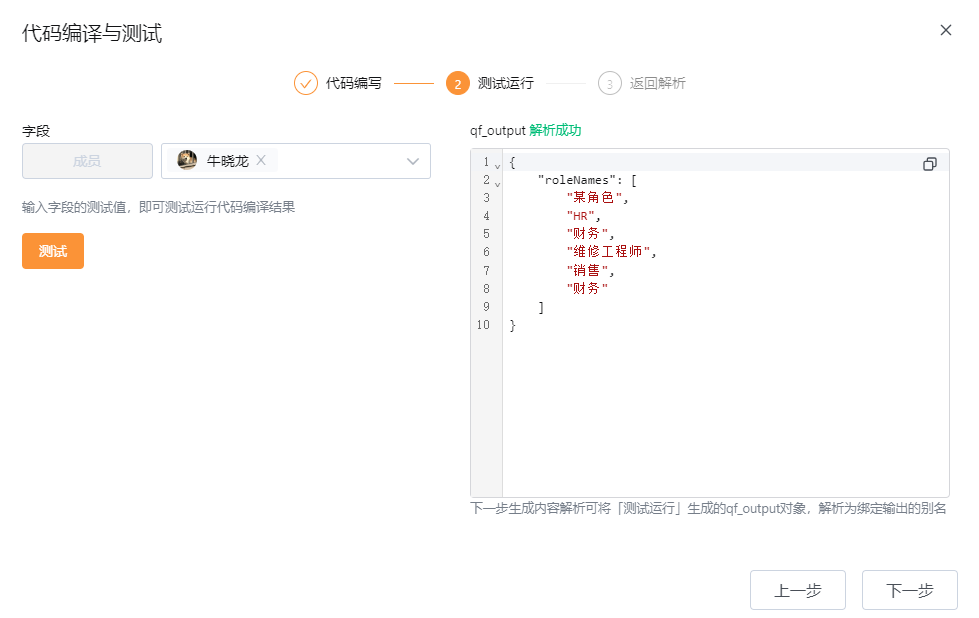
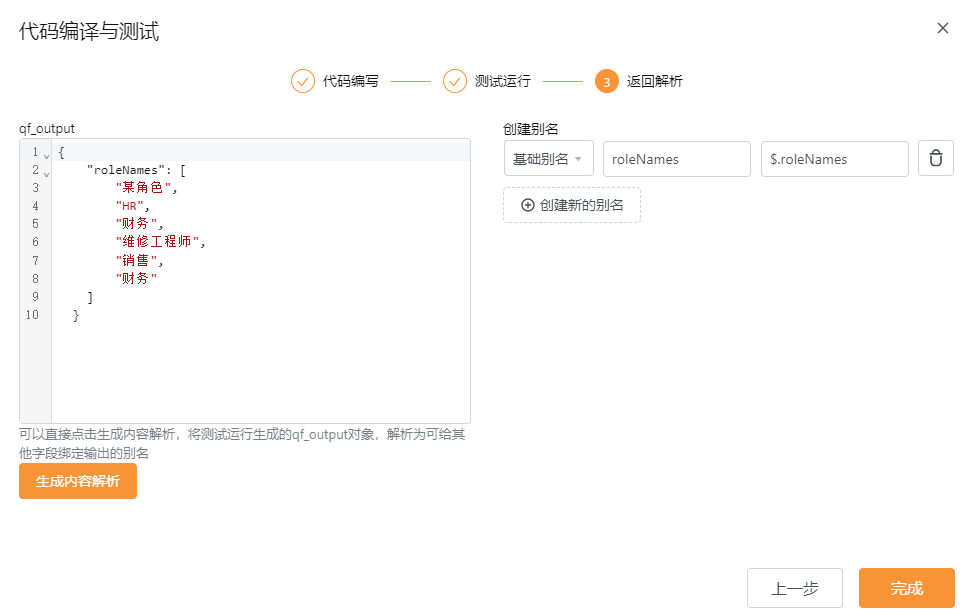
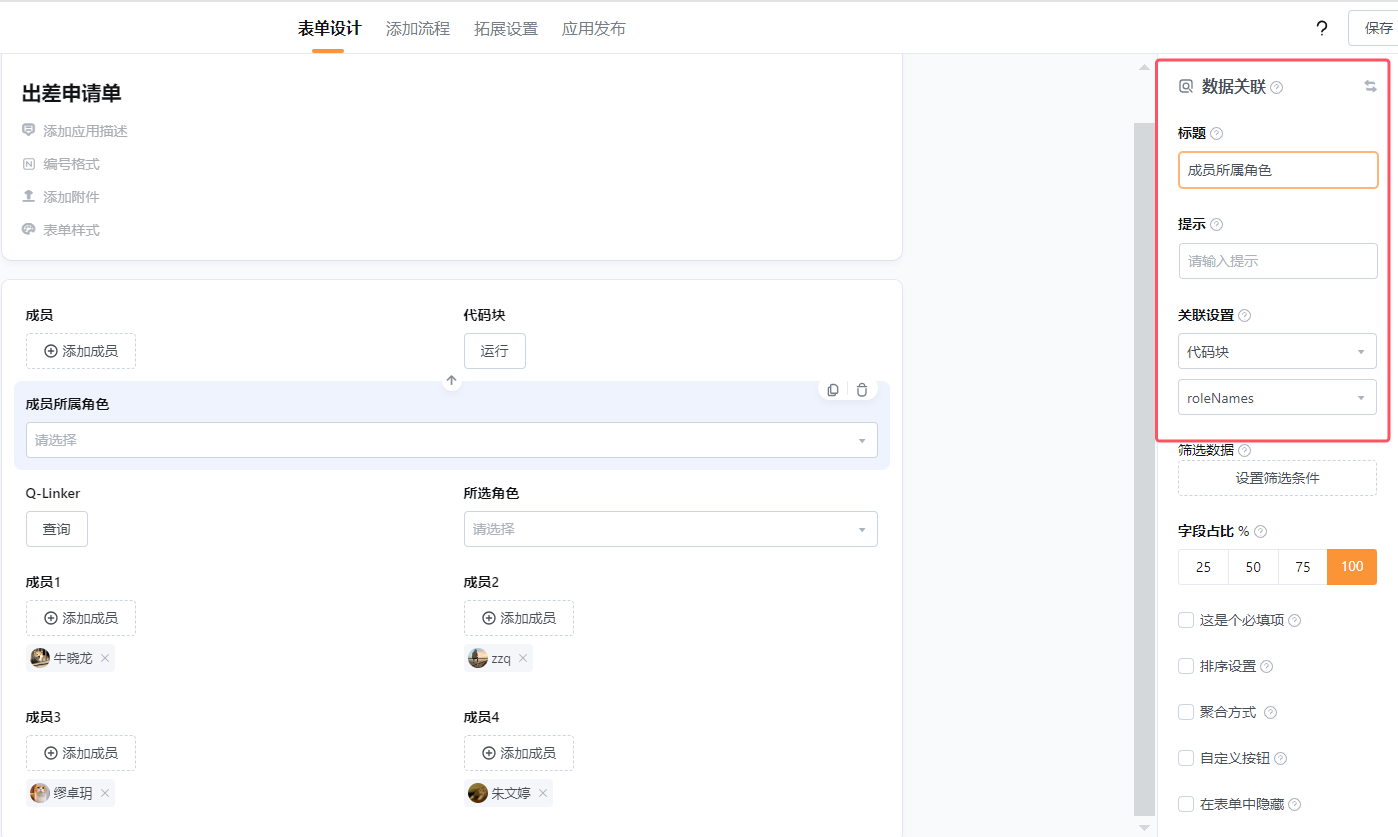
3.1.2将代码块返回的数组使用数据关联字段接收:
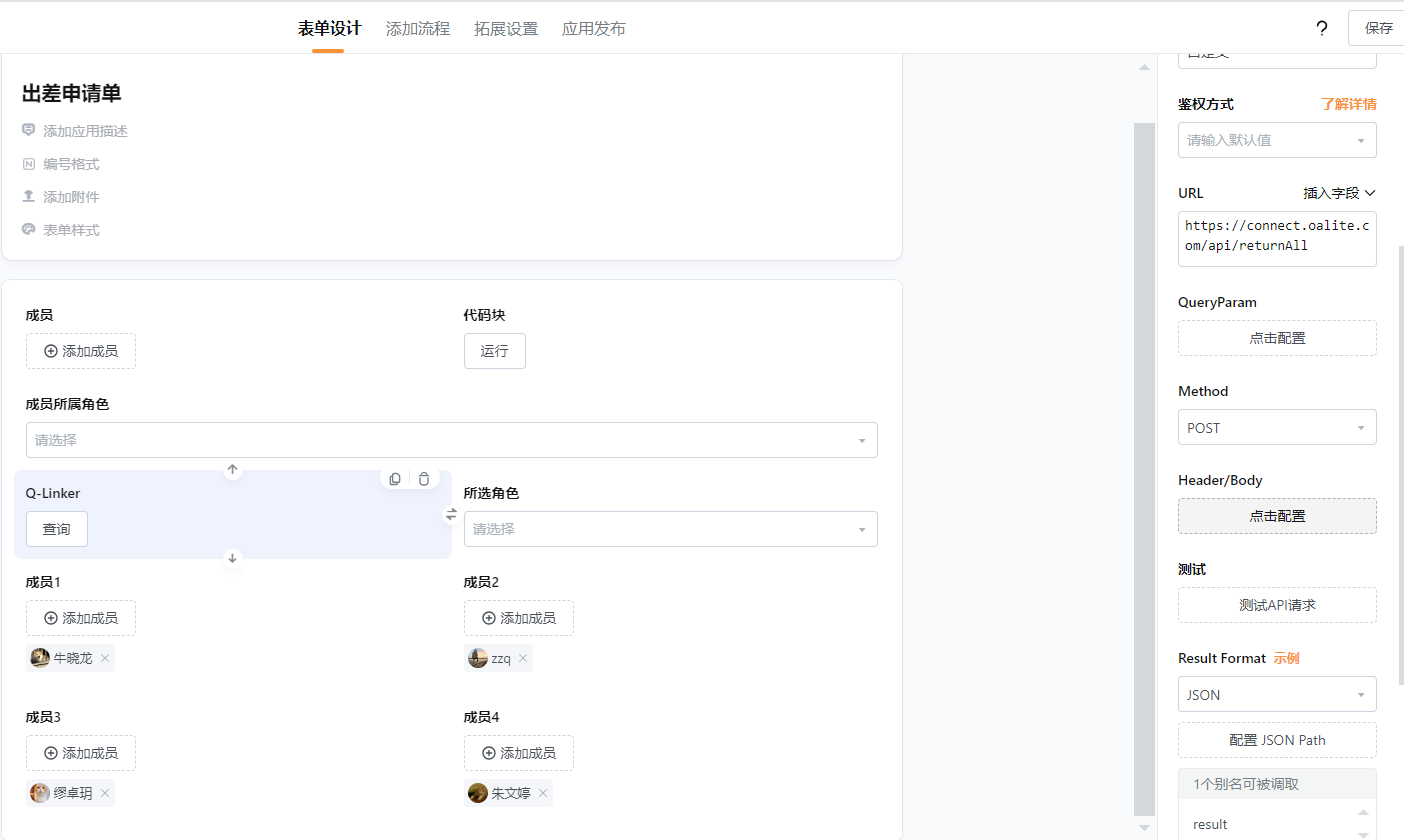
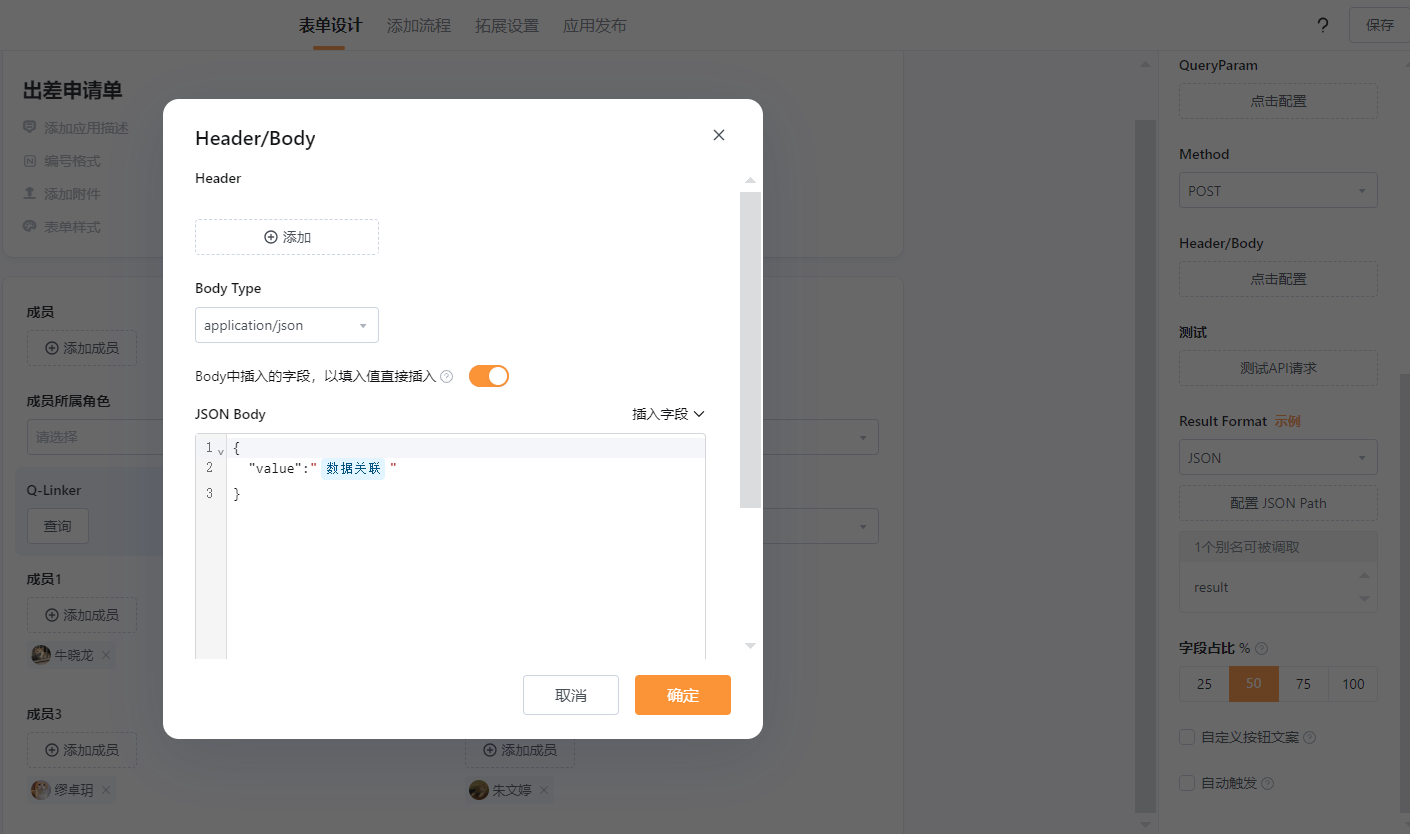
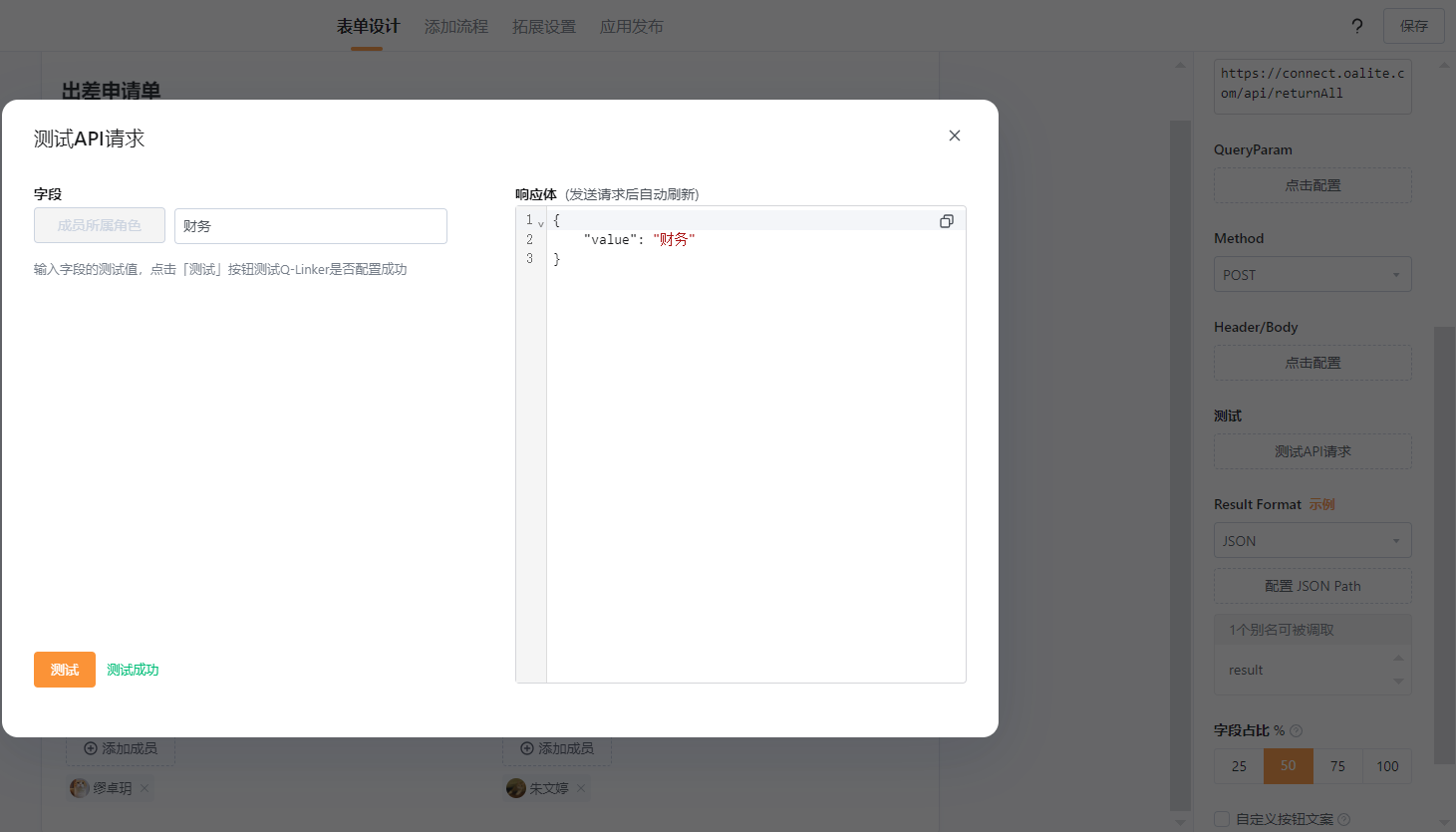
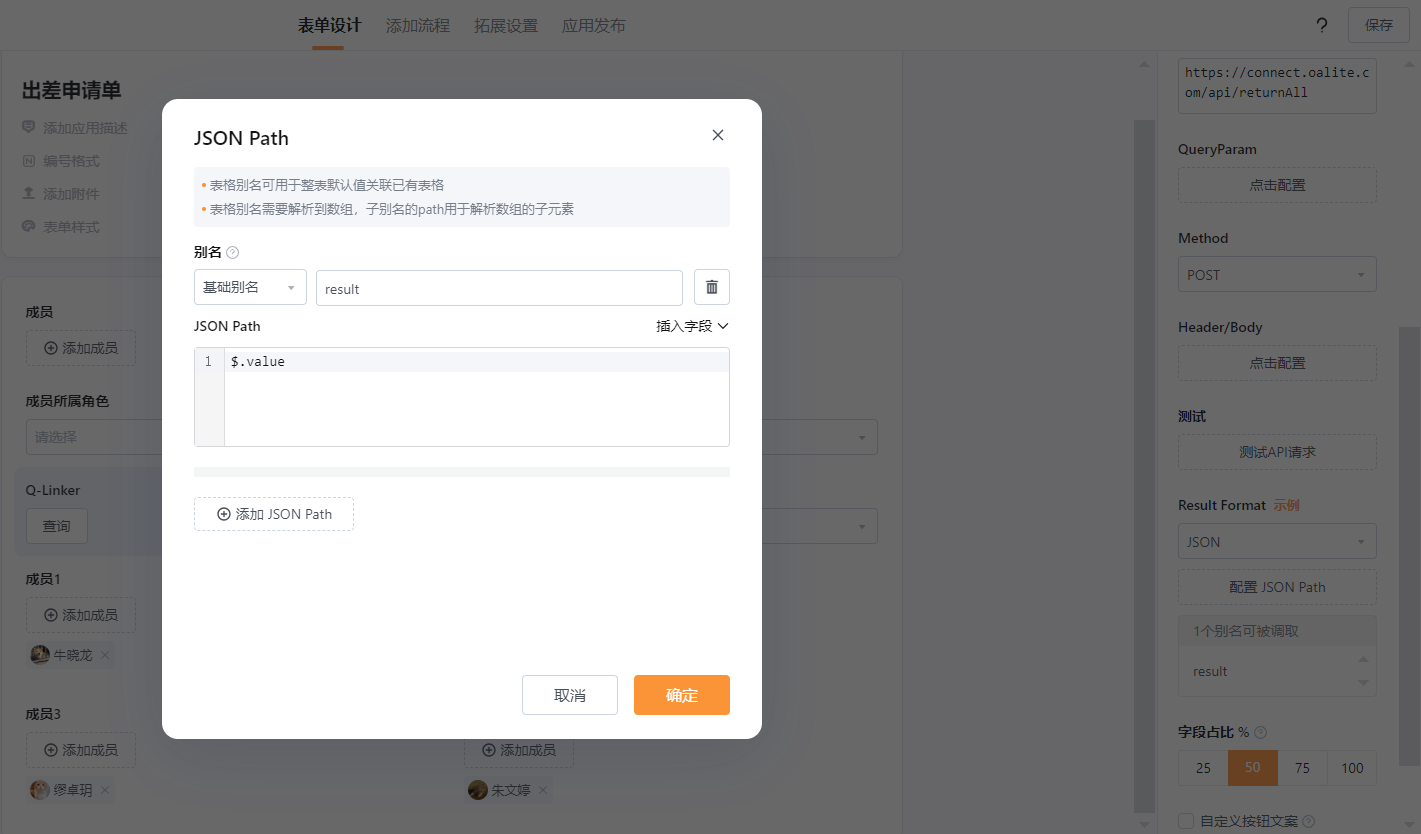
使用回调接口https://connect.oalite.com/api/returnAll,将数据关联选的值返回到单项选择内:
3.1.3将Q-Linker返回的值使用单项选择接收:
3.1.4逻辑表单控制字段显示:
3.2通过分支判断所选角色走不同的流程