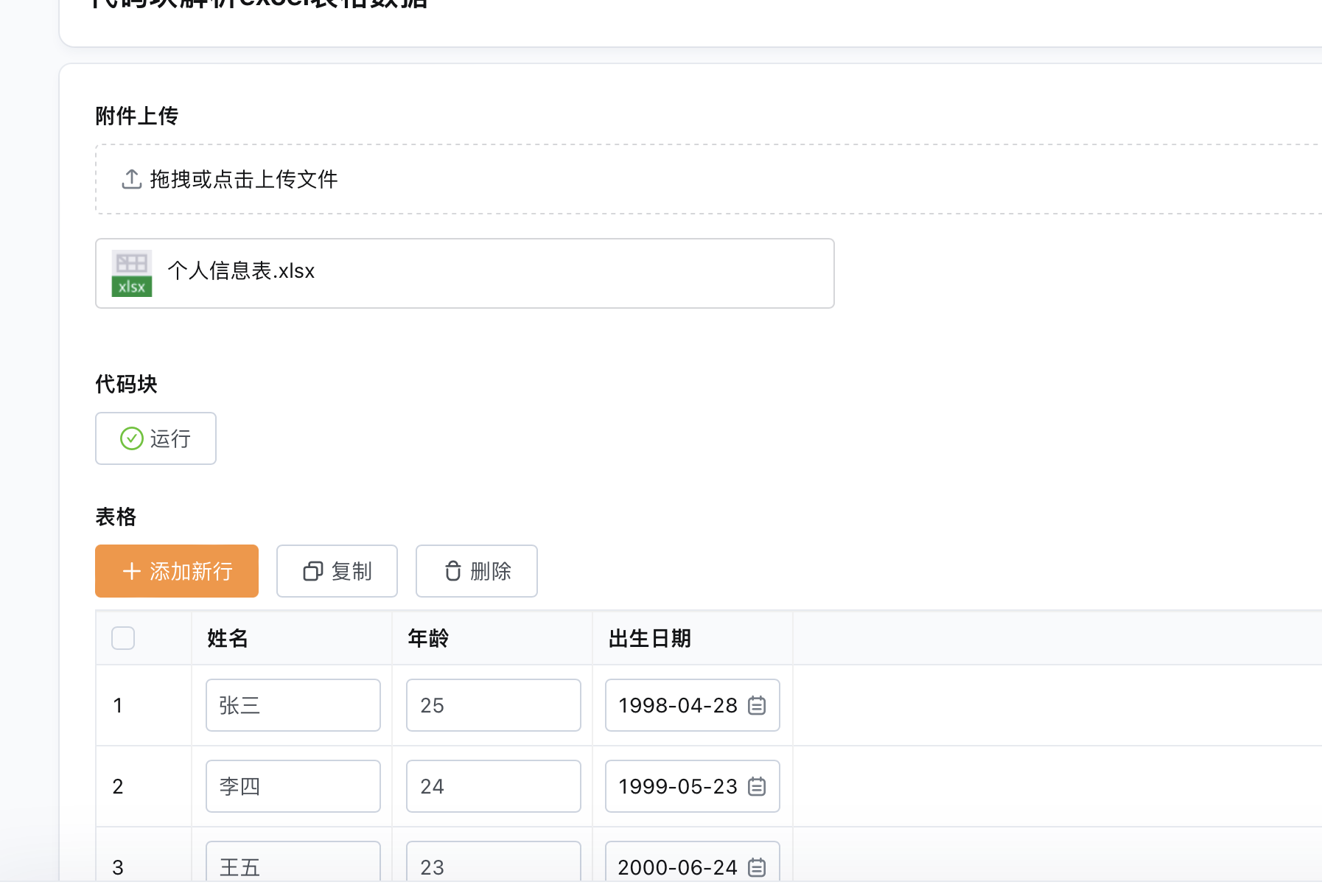
代码块:获取excel表格特定区域数据
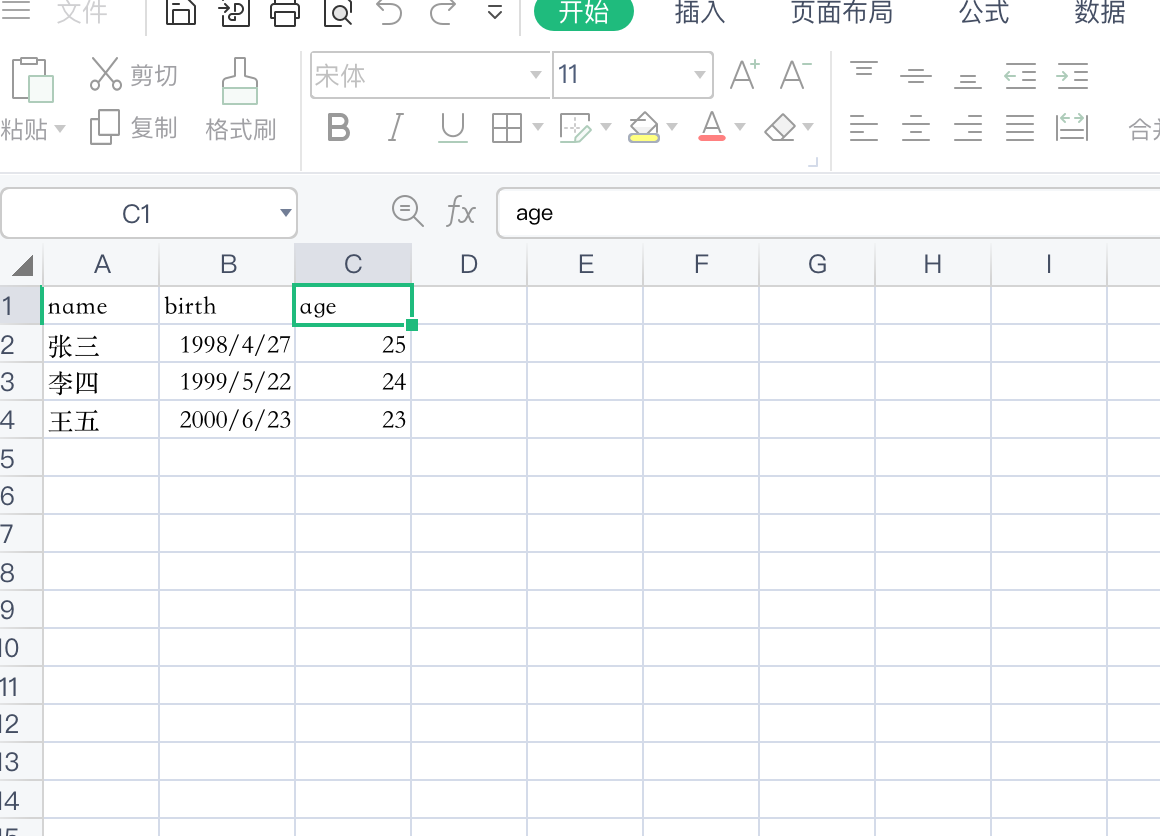
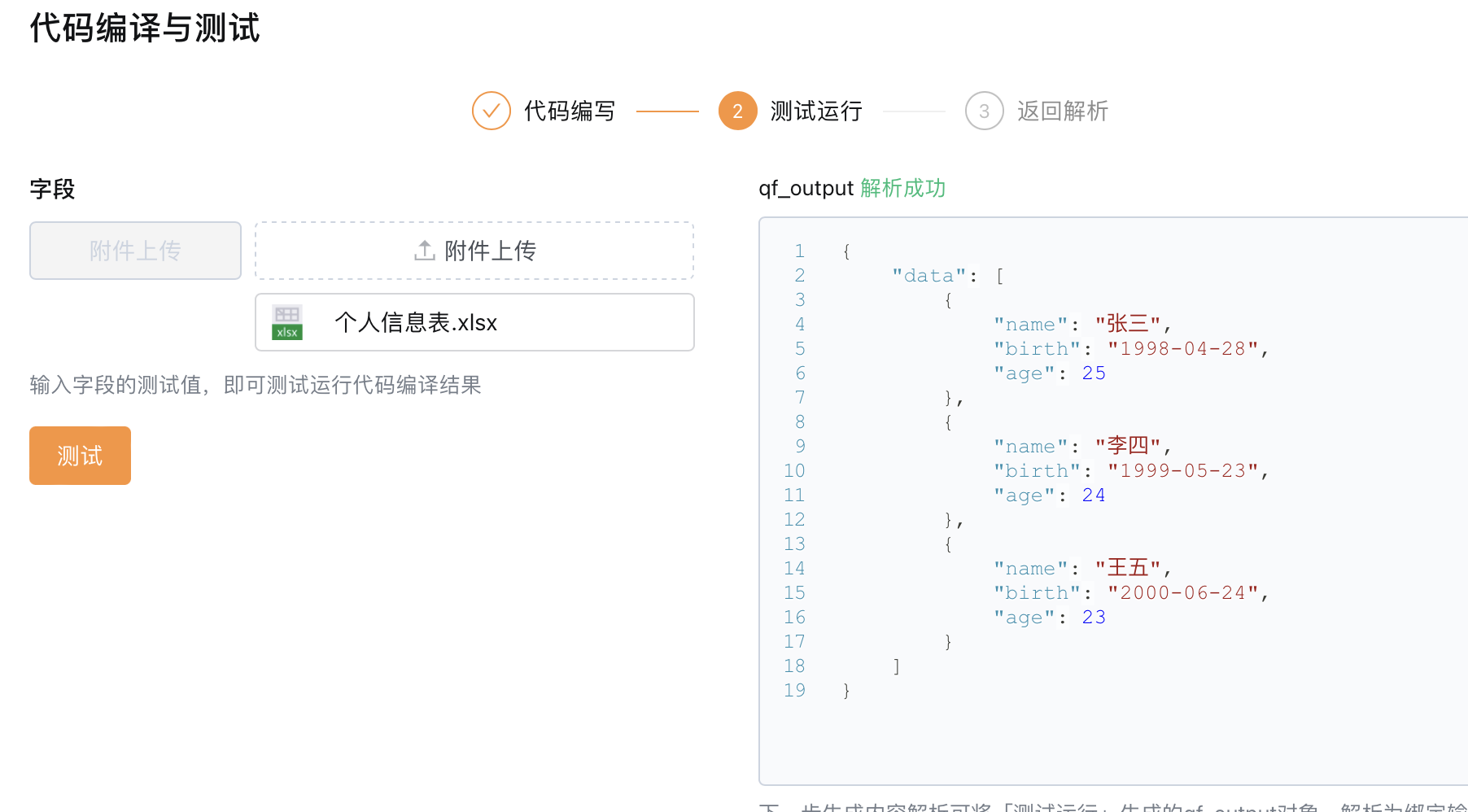
1、代码与测试
const axios = require('axios');
const xlsx = require('node-xlsx');
const { format, addDays } = require('date-fns');

/**
* 读取轻流系统Excel附件中指定区域的数据
* @param {string} qflowUrl 轻流附件URL
* @param {number} startRow 起始行索引
* @param {number} endRow 结束行索引(不包含)
* @param {number} startCol 起始列索引
* @param {number} endCol 结束列索引(不包含)
* @returns {Promise<object[]>} Excel指定区域数据的JSON对象数组
*/
async function getExcelData(qflowUrl, startRow, endRow, startCol, endCol) {
  const response = await axios.get(qflowUrl, { responseType: 'arraybuffer' });
  const excel = xlsx.parse(response.data);
  const data = excel[0].data;

  const headers = data[startRow].slice(startCol, endCol); // 提取表头数据
  const rows = data.slice(startRow + 1, endRow); // 提取行数据

  const jsonData = rows.map(row => {
    const obj = {};
    headers.forEach((header, index) => {
      const value = row[index + startCol];
      if (header === "birth") {
        const birthDate = addDays(new Date(1900, 0, 1), value - 1); // 使用date-fns将序列数转换为日期
        obj[header] = format(birthDate, 'yyyy-MM-dd'); // 使用date-fns格式化日期为字符串
      } else {
        obj[header] = value;
      }
    });
    return obj;
  });

  return jsonData;
}

const qflowUrl = qf_field.{附件上传$$164AC79D2$$};
const startRow = 0;
const endRow = 4;
const startCol = 0;
const endCol = 3;

getExcelData(qflowUrl, startRow, endRow, startCol, endCol)
  .then(res => {
    // 数据处理
    qf_output = { 'data': res };
  });
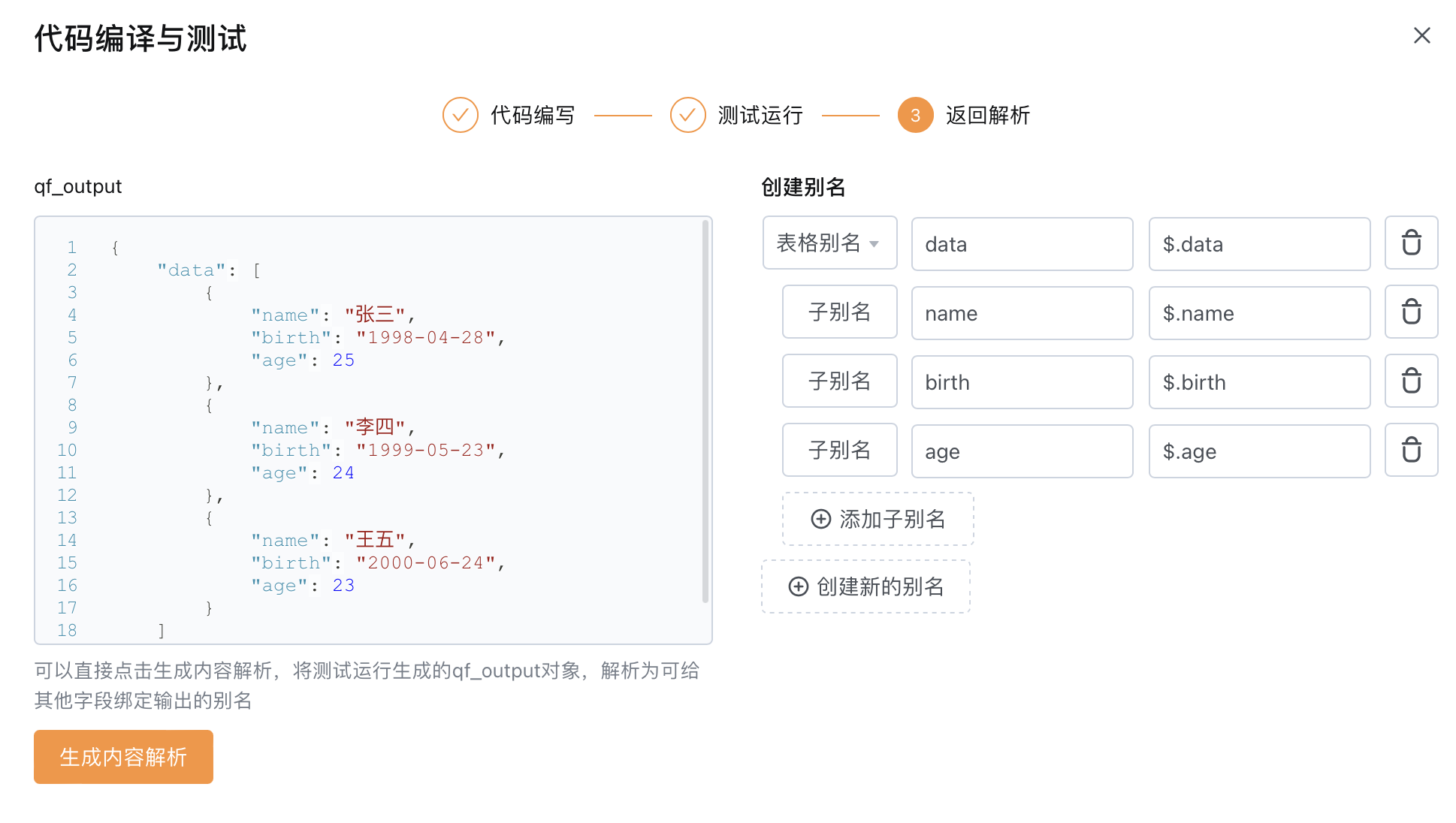
2、json解析于字段接收配置
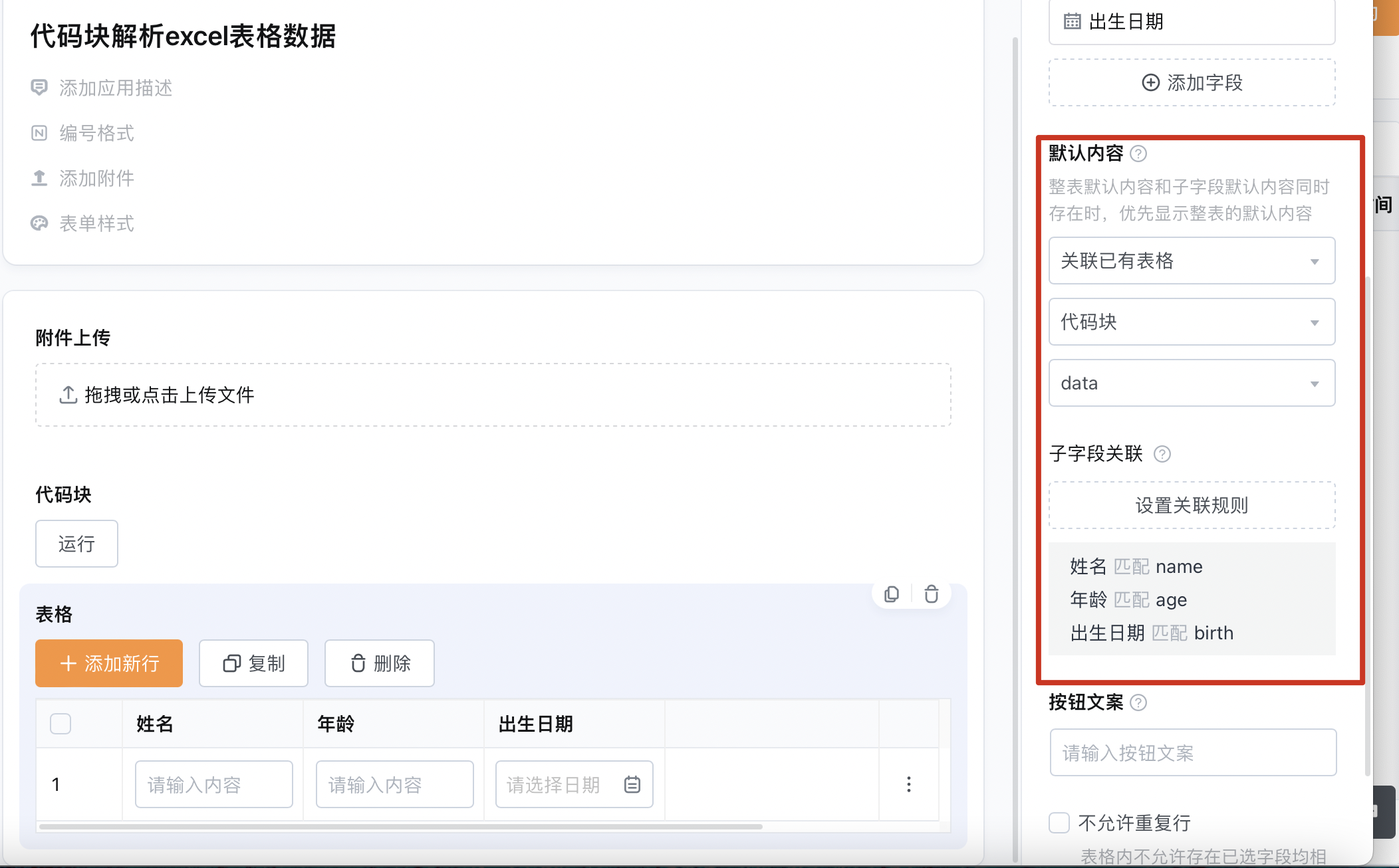
3、实际效果
https://qingflow.com/f/0fd8ded5